Walley Logos
Use the Walley logo on your site and in marketing materials. In checkout, use the Walley Checkout badge. Need a banner? Use our ready-made banners in Marketing Assets.
Walley logo


Use the logo on your website and in all marketing, such as ads, social media, print and presentations. Always use the original files. Don't recolor, stretch or add effects.
Minimum space
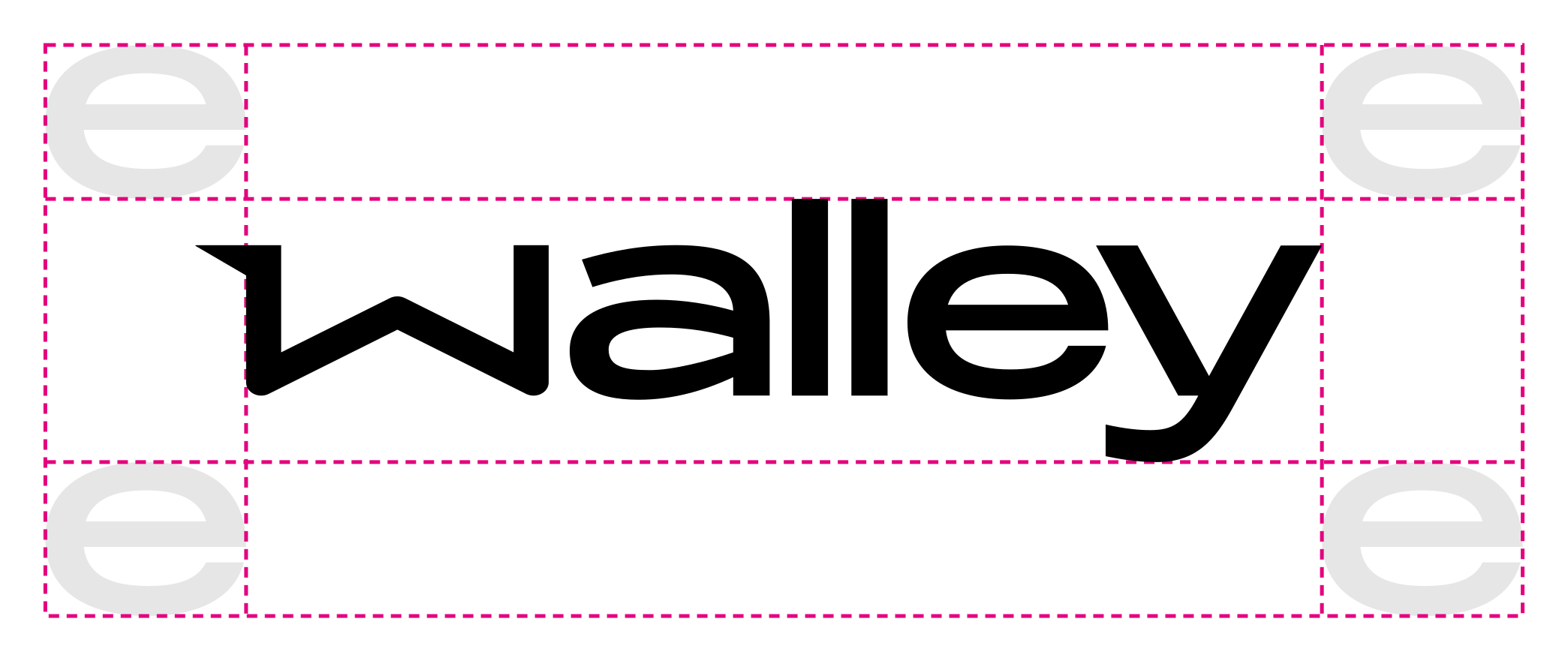
Keep free space around the logo equal to at least the letter e in the wordmark. More space is always fine. When centering the logo, measure from the W itself and let the wing hang outside.
Resource location
Link directly to the Walley CDN so the logo stays up to date. The logo is a scalable SVG. Use alt="Walley" for accessibility.
| Logo type | URL |
|---|---|
| Black | https://cdn.walleypay.com/logo/walley-black.svg |
| White | https://cdn.walleypay.com/logo/walley-white.svg |
Alternative Walley logos
Walley Lasku/Tililuotto

Use this version when you promote the Lasku/Tililuotto payment method in Finland. The same rules as for the Walley logo apply.
Resource location
| Logo type | URL |
|---|---|
| Black | https://cdn.walleypay.com/logo/walley-lasku-tililuotto-black.svg |
| White | https://cdn.walleypay.com/logo/walley-lasku-tililuotto-white.svg |
Walley Checkout badge

A small badge made for checkout only. For separate, localized Walley Checkout badges that include payment-method icons, see Branding resources; those assets have their own dimensions and usage guidance.
- Where: in checkout next to the Walley payment method, or next to other payment methods in a website footer.
- Keep ratio: the badge is 60×24 px. Always keep the aspect ratio when resizing.
- Not for marketing: never in ads, social media, print or presentations. Use the Walley logo instead.
- Original files only: never edit the gradient, corners or proportions.
Resource location
| Badge type | URL |
|---|---|
| Checkout badge, 60×24 | https://cdn.walleypay.com/logo/walley-logo-60x24.svg |